
Last reviewed: October 17, 2025
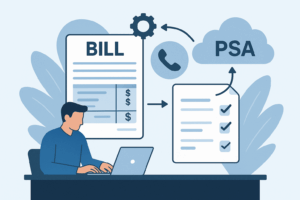
Mapping Autotask contracts, charges, and taxes into Datagate is the difference between a first-pass clean invoice and a week of AR firefighting. Done right, you eliminate rekeying, speed cash, and avoid tax rework on service lines.
TL;DR: If you run Autotask as your PSA, map stable customer and contract identifiers first, then align line-item fields (service code, rate, qty, unit) and explicit tax fields (taxable flag, tax jurisdiction, tax code). Test with a small billing cycle, reconcile totals, and iterate on tax jurisdictions. Our approach uses 3 layers: identity, charge detail, and tax metadata. Follow the checklist below to cut disputes on day one.
Why precise field mapping matters now
Bills are picky. A mis-mapped contract ID, missing tax jurisdiction, or swapped rate/quantity column creates a wrong line on an invoice and a costly dispute. Mid-market SaaS and service firms scale quickly; a single mapping error multiplies across hundreds of customers and recurring plans.
Recently expanding sales teams and rapid product packaging changes mean contracts evolve faster than integrations. That makes a robust mapping strategy less optional and more of a gating item for month-end close and cash flow. Practically, you want a first invoice export that needs no rekeying into accounting.
Example: a recurring credit for “overage credit” mapped into the wrong charge type will either appear as a separate zeroed line or be taxed incorrectly—both trigger accounts payable questions. Preventing that starts at the field level.
Our point of view: map defensively, iterate quickly
Our POV is simple: treat mappings as reversible, testable rules, not one-off edits. Prioritize immutable identifiers and tax-critical fields. We prefer conservative default mappings you can relax later.
Trade-offs: you can either map every Autotask custom field up front (slow) or map a minimal safe set and expand (faster). We recommend the latter for time-to-value. Map the essential fields first and add optional enrichments in sprint cycles.
Assumes a PSA-backed billing flow with recurring and usage line items. If your Autotask setup uses heavy custom fields or branded charge codes, budget an additional mapping sprint for those fields.
A practical mapping framework: identity, charge detail, tax metadata
Start with three lanes. Each lane has required fields and recommended sanity checks.
1) Identity lane — ensure one truth for the bill
Required: Account/Company ID, Contract/Agreement ID, Billing Contact Email. These map to Datagate customer_id and contract_id. Sanity check: validate that every charge row has the contract_id populated.
2) Charge detail lane — the line-item mapping
Required fields: service_code or product_code, description, quantity, unit_of_measure, unit_rate, line_amount (or computed total). Map Autotask fields that represent rate, quantity, and service to Datagate equivalents. Sanity checks: unit_rate * quantity should match line_amount within rounding tolerance.
3) Tax metadata lane — jurisdiction and taxability
Required: taxable_flag, tax_code (if used), customer_tax_jurisdiction (state/county/city). If Autotask does not store a granular jurisdiction, use the customer billing address as the source of truth. Sanity checks: total_tax == sum of line-level taxes.
Diagram description: a three-column swimlane with Autotask on the left (Account, Agreement, Line Items, Custom Tax Fields), Datagate in the center (customer_id, contract_id, line_items[], tax_metadata), and Accounting on the right (Invoice, GL accounts, Tax Liabilities). This shows how each Autotask column flows into Datagate fields before export to accounting.
| Autotask field (example) | Datagate target | Why it matters |
| AccountID / CompanyID | customer_id | Links invoice to customer and payment terms |
| ContractID / AgreementID | contract_id | Drives recurring schedules and discounts |
| ServiceCode / ProductCode | line_items[].sku | Maps to rating rules and GL mapping |
| Quantity, UnitRate | line_items[].qty, rate | Ensures totals and tax base are correct |
| Taxable (Y/N), TaxCode | tax_metadata.taxable, tax_code | Feeding tax engine correctly avoids misapplied taxes |
Applications: a pragmatic walkthrough for RevOps and CRM admins
Goal: ship a clean first invoice export within one billing cycle. Steps below are written for the person who owns the integration and the RevOps leader who needs fast ROI.
- Export a one-week sample: pull customer, contract, and invoice line CSVs from Autotask for a single billing week. Keep sample size small (5–20 customers).
- Map essentials: run the three-lane mapping above. Populate customer_id, contract_id, sku, qty, rate, line_amount, taxable_flag, and customer billing address.
- Validate math: run an automated check where unit_rate*qty ≈ line_amount. Flag mismatches greater than your rounding tolerance (e.g., $0.05).
- Tax smoke test: pick 3 customers in distinct jurisdictions and confirm tax amounts after mapping. If you use a tax engine, verify tax codes are passed correctly.
- First invoice run: export to Datagate, generate the invoice PDF, and compare to Autotask preview. Resolve any GL or rounding mismatches before posting to accounting.
What good looks like: first invoice exports with identical totals and no manual line edits. Reduced AR exceptions in week one is the success metric.
How Datagate helps
Outcome: a clean, rated invoice that posts to accounting without rekeying.
How: deep PSA connectors, telecom-rated line mapping, and built-in tax metadata handling.
Common objections and pitfalls (and how to avoid them)
“We don’t store tax jurisdiction per line” — common. Use the billing address at the customer level as a fallback and add a later sprint to capture per-service jurisdictions where required. Always label fallback logic so audits are traceable.
“Custom charge codes break mapping” — map by business rules not by display text. Use service_code or internal SKU rather than free-text descriptions. If you must map text, maintain a small reference table and version it.
“Rounding and currency differences” — define a rounding tolerance and reconcile totals at both line and invoice levels. Prefer integer cents in CSVs to avoid floating point surprises.
First-invoice offer
Outcome: validate a billing cycle with no manual corrections.
How: guided review of sample exports and tax checks.
FAQ
Q: Do I need to map every Autotask custom field?
A: No. Map required identity, charge, and tax fields first. Add optional fields in later sprints.
Q: What if taxes are handled outside Autotask?
A: Pass clean tax metadata to Datagate (taxable flag, customer jurisdiction) so Datagate or your tax engine can calculate liabilities. Always confirm with your tax provider.
Q: How do I validate a mapping before the first live invoice?
A: Use a contained export for a single billing cycle, run automated math checks, and simulate the invoice in Datagate before posting.
Sources
ConnectWise Autotask product page
Avalara — communications and telecom tax overview
Disclaimer: This article provides general information, not tax or legal advice. Confirm requirements with your advisors and applicable regulations.