
Last reviewed: October 6, 2025
Copilot can change how work gets done — but flipping it on without readiness is like handing keys to a new jet before the crew has trained. This checklist helps RevOps, IT, and enablement run a safe, measurable Copilot launch for front-line and knowledge workers.
TL;DR: A reliable Copilot rollout needs five things: licenses and admin readiness, data & DLP rules, role-based training and comms, pilot cohorts with measurable KPIs, and a plan to scale. Use the 20-point checklist below, split into frontline vs knowledge-worker tracks, then run a 90-day pilot with dashboards that measure depth of use and business impact.
Why readiness matters now
Copilot surfaces organizational data directly into answers and workflows. That creates huge productivity upside — and new vectors for accidental data exposure if you skip governance. Microsoft provides tenant readiness and usage reports to help IT identify license and technical blockers; those reports are the first place to start. Microsoft 365 Copilot reports for IT admins
Beyond security, adoption itself is the bigger ROI lever. Turning Copilot into habits requires targeted communications, micro-lessons, and measurement — not a single training webinar. That’s why readiness combines technical checks with a campaign and measurement plan.
Our point of view
Our POV: enabling Copilot is a change program, not a feature toggle. Technical controls (licenses, DLP, admin roles) reduce risk. Behavior design (role-based micro-lessons, in-the-flow delivery, attestations) unlocks value. You need both.
Trade-offs are real. Locking Copilot too tightly reduces productivity gains. Too loose, and you increase exposure and compliance review overhead. The right balance depends on business risk and the personas you serve — sales reps and SDRs need fast, contextual prompts; legal and finance need stronger guardrails and attestation checks.
Our practical rule: start with a small, measurable pilot (2–4 teams), validate KPIs in 60–90 days, then scale with segmented campaigns and automated learning paths delivered where people work.
Readiness framework (how to think about the checklist)
Think in three lenses: Security & Compliance (who can access what), Platform & Data (where is the knowledge), and Adoption & Measurement (who learns what and how we measure). Each checklist item maps to one lens so you can assign ownership (IT, RevOps, Enablement, Security).
Key outcomes to measure during pilot:
- Activation rate (users who try Copilot at least once)
- Depth of use (tasks completed via Copilot vs. searches/manual work)
- Business signal lift (time-to-MQL, reply rate, tickets resolved)
Assumes a typical mid-market CRM and Microsoft 365 tenant. Adjust for highly regulated industries by tightening Purview controls and extending pilot timelines.
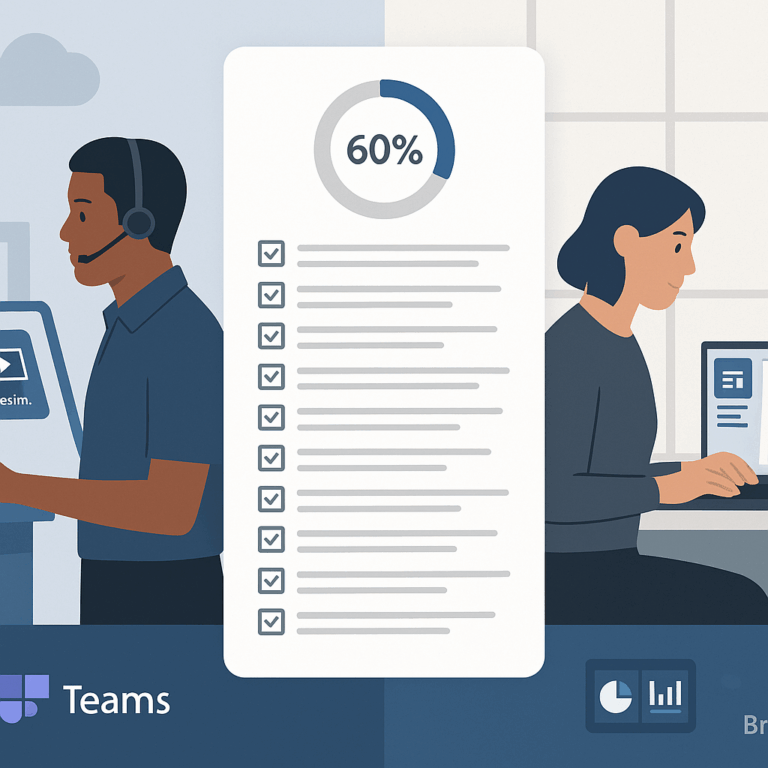
20-point Copilot readiness checklist (assign owners)
Use this checklist as a gating board. Each item is single-owner and single-decision (go / hold / remediate).
- License mapping — Confirm who is eligible for Copilot licenses and map license assignments to personas. (Owner: IT/Procurement.)
- Admin roles & least privilege — Define AI Admin, Insights Analyst, and other roles; avoid excessive Global Admin usage. (Owner: IT Security.)
- Tenant readiness report — Run the Microsoft Copilot readiness report and resolve flagged technical blockers. See admin reports. (Owner: IT)
- Data inventory & knowledge sources — Catalog SharePoint sites, Teams, and external knowledge connectors that Copilot will access; archive stale sources. (Owner: Knowledge Mgmt / IT)
- Sensitivity labeling — Apply sensitivity labels to high-risk content (e.g., IP, customer PII). (Owner: Compliance)
- Purview & DLP policies — Configure Microsoft Purview and DLP scoped to Copilot locations to block or warn on sensitive content. Purview & Copilot guidance. (Owner: Security/Compliance)
- Endpoint controls — Ensure Endpoint DLP is enabled on corporate devices to prevent pastes to external generative AI sites. (Owner: Endpoint Ops)
- Identity & access — Enforce MFA, conditional access, and session policies for Copilot users. (Owner: Identity)
- Network & browser posture — Confirm corporate browser policies and VPN behaviours are compatible with Copilot browsers and agents. (Owner: Infra)
- Privacy & telemetry policy — Publish what telemetry is captured and how it’s used; get legal sign-off. (Owner: Privacy)
- Data preparation — Ensure search indexes and metadata are healthy (SharePoint/OneDrive cleanup, consistent metadata). (Owner: Content Owners)
- Graph connectors & permissions — Validate connectors and consent flows; restrict connectors to pilot scopes. (Owner: Integration)
- Pilot cohorts & use cases — Define 2–4 pilot teams and 3–5 high-value Copilot scenarios per team (e.g., SDR research, bid summary, support triage). (Owner: RevOps/Enablement)
- Training & micro-lessons — Build role-based micro-lessons and quick recipes delivered in Teams or Viva. (Owner: Enablement). Microsoft provides a guided learning path for Copilot admins as a technical reference. Prepare your organization for Copilot.
- Change comms & champions — Schedule targeted comms (manager messages, in-app tips) and recruit champions in each pilot team. (Owner: Comms)
- Attestations & policy acknowledgement — For higher-risk groups, collect attestations that users understand allowed use. (Owner: Compliance/L&D)
- Support flow & escalation — Create a Copilot help channel, FAQ, and rapid escalation path for unexpected answers or data concerns. (Owner: IT Support)
- Measurement plan — Define KPIs, create dashboards (activation, depth-of-use, business signals), and set targets for 30/60/90 days. (Owner: RevOps/Analytics)
- Scale & rollback playbooks — Document how to widen the rollout, remediate issues, or temporarily disable Copilot for a cohort if needed. (Owner: Program Lead)
Front-line vs knowledge-worker tracks
Some items above need different settings by persona. Use targeted comms and guardrails per track.
| Capability | Front-line workers | Knowledge workers |
| Device type | Shared/kiosk or mobile — limit sensitive output | Managed laptops with full app access |
| Data access | Restricted to curated knowledge; no customer PII | Broader access, stronger sensitivity labels |
| Training | Two-minute recipes in Teams | 30–60 minute role-based micro-lessons |
| DLP posture | Block paste to external sites; stricter endpoint rules | Scoped DLP with exceptions for secure workflows |
Application: a 90-day pilot playbook (practical walkthrough)
Week 0: run readiness report, assign licenses to 2–4 pilot teams, and tag knowledge sources. Week 1–2: enable Purview rules, apply sensitivity labels, run an initial training blitz with manager-led prompts. Week 3–8: measure activation and depth of use, collect qualitative feedback, refine prompts and content connectors. Week 9–12: present dashboard outcomes to stakeholders, expand to next cohort, and convert lessons into permanent micro-lessons and attestations.
Concrete KPI example for a RevOps pilot: reduce time-to-first-contact for MQLs by 20% through Copilot-assisted research templates and automated enrichment. Tie that to pipeline velocity and track via your CRM and Copilot usage dashboards.
Objections and common pitfalls
“We can’t risk data leakage.” — Start with a narrow pilot, enable sensitivity labels and Purview DLP, and use endpoint protections. Microsoft documents how Purview can restrict Copilot processing on labeled content. Purview guidance.
“Our users won’t adopt another tool.” — Don’t treat Copilot as new software. Embed two-minute micro-lessons in Teams and send manager-targeted prompts tied to day-one tasks. Adoption is a communications problem as much as a product problem; measured campaigns beat one-off webinars every time.
“We don’t have time to prepare.” — Prioritize a 30-day technical sweep (licenses, DLP, key connectors) and a 60-day behavior program. The technical work is largely admin configuration; the scaling work is communications + micro-learning.
How BrainStorm helps
This is exactly what BrainStorm automates—segment the audience, schedule the messages, deliver the micro-lessons, and track adoption by feature. BrainStorm ships Microsoft-first content packs for Copilot and delivers lessons in Teams and Viva so learning happens in the flow of work. Help users take flight with Microsoft 365 Copilot and Meet the BrainStorm and Viva Learning integration.
Outcome: faster, safer Copilot adoption with measurable depth-of-use.
How we do it: targeted communications + role-based micro-lessons + dashboards.
See your M365/Copilot adoption in a live dashboard—book a 20-minute demo.
FAQ
Q: How long should a pilot run?
A: 60–90 days gives time to measure both activation and initial depth-of-use and to iterate prompts and connectors.
Q: Which teams are best to pilot first?
A: Sales SDRs, support triage, and knowledge workers who frequently synthesize documents are high value. Pick teams with clear KPIs like time-to-contact or ticket resolution.
Q: What’s the single biggest mistake?
A: Treating Copilot as a self-serve product. Without targeted comms, micro-lessons, and measurement, usage will be shallow and ROI will lag.
Sources
Microsoft 365 Copilot reports for IT admins
Use Microsoft Purview to manage data security & compliance for Microsoft 365 Copilot
Prepare your organization for Copilot for Microsoft 365 (Microsoft Learn)
BrainStorm Copilot content pack
BrainStorm and Viva Learning integration