
Last reviewed: October 7, 2025
Enabling Copilot across a Microsoft tenant can feel like flipping a switch and hoping for the best. The real work is designing who can use it, what data it can touch, and how you prove safe, measurable adoption.
TL;DR Copilot governance combines tenant-level controls, identity and conditional-access policies, Purview classification and DLP, and rollout policies tied to role-based training. For E3 tenants you focus on configuration, Conditional Access and DLP basics; for E5 tenants you add Purview advanced controls, Insider Risk and richer analytics. Our POV: pair guardrails with a short, role-based adoption program so users learn safe Copilot workflows in the flow of work.
Why governance matters now
Copilot surfaces organization data in conversational flows. Left unchecked, that creates oversharing, inconsistent outputs, and audit gaps. A single high-value data slip can erode trust and slow adoption across sales, operations, and customer-facing teams. That trust risk is the prime reason security, compliance, and adoption teams must own Copilot governance together.
Imagine an SDR using Copilot to summarize a prospect folder that contains a nondisclosure clause. Without proper labels, prompts, and DLP, the summary could pull restricted text into outreach. These scenarios are real and solvable with tenant controls plus operational training tied to role tasks like outbound research and competitive intelligence.
Our point of view
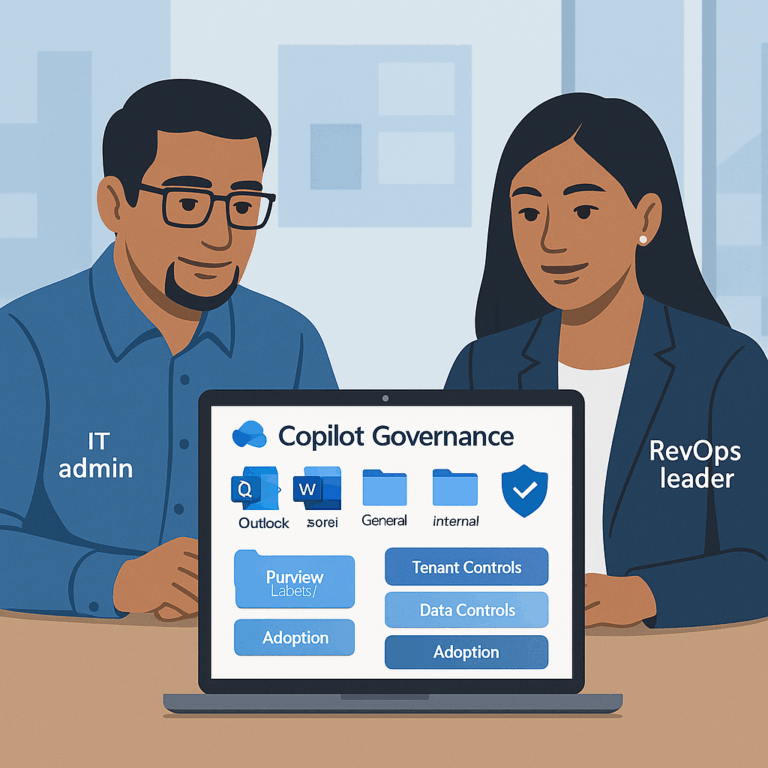
Copilot readiness is not a checkbox. Our POV: treat Copilot as a platform that needs three coordinated layers.
First, tenant controls. Turn Copilot features on or off, scope agent or app access, and set conditional access and MFA expectations. These settings are your first line of defense and your ability to segment risk by group.
Second, data controls. Use Purview sensitivity labels, classification, and DLP to ensure Copilot only returns or uses content you intend it to. Copilot honors these Microsoft data protections when they are configured correctly. For technical details on how Copilot respects Purview and auditing, see Microsoft documentation on Copilot data protection and auditing.
Third, operationalize behavior. Guardrails without practice fail. Pair tenant policies with role-based micro-lessons, attestations, and targeted communications so users learn safe prompts, allowed sources, and escalation checks. This is our core recommendation: pair policy with practice and measure the depth of use, not just logins.
Framework: Copilot preflight and governance lens
Run a short preflight before broad enablement. The preflight has four checks: Permissions, Data, Identity, and Behavior. Run it in a pilot tenant or a small production cohort, 4 to 6 weeks.
Preflight checklist (one-line actions):
- Permissions: Confirm admin roles and who can change Copilot settings in Microsoft 365 admin center.
- Data: Apply sensitivity labels to high-value SharePoint sites, OneDrive folders, and Teams channels.
- Identity: Require MFA and Conditional Access for Copilot access for external-facing roles.
- Behavior: Launch a 3-week role-based micro-lesson and collect attestations for allowed Copilot scenarios.
Diagram (text): Personas × Workflows × Guardrails. Example cell: SDRs × Prospect Research × Allow Copilot read on labeled Sales workspace only; disallow export to personal accounts; require attestation before outbound use.
Compact E3 vs E5 governance snapshot:
| Area | E3 (baseline) | E5 (advanced) |
| Identity | Entra ID P1 features, Conditional Access. | Entra ID P2: risk-based access, privileged identity controls. |
| Data protection | Core sensitivity labels, basic DLP. | Purview advanced classification, automated labeling, Insider Risk Management. |
| Audit & analytics | Basic activity logs and manual review. | Advanced discovery, retention and richer Copilot usage auditing. |
Note: this table is a governance snapshot. For exact licensing differences and options to add capabilities, see Microsoft 365 security plans. Assumes a standard Microsoft 365 tenant with SharePoint, OneDrive and Teams in use.
Applying this to your teams (practical walk-throughs)
Mid-market RevOps / Sales-led SaaS: start with a 30-user SDR pilot. Scope Copilot to a labeled Sales SharePoint and a sandbox Teams channel. Require MFA and a Conditional Access policy that restricts access from unmanaged devices. Run three focused micro-lessons: (1) safe prompt patterns for prospect research, (2) how to cite sources and avoid PHI, (3) attestations for outbound content. Measure time-to-first-use, number of safe summaries created, and MQL-to-SQL velocity improvement.
Enterprise industrial or regulated orgs: add Purview automated labeling and Insider Risk Management before broad enablement. Apply retention and eDiscovery policies to audit how Copilot reads and surfaces contract language. Run role-specific scenario labs for AMs and solution engineers; include a champions network to escalate ambiguous outputs.
Ecommerce and high-volume marketing teams: scope Copilot to marketing buckets and prevent access to payment or customer PII by label. Teach writers how to use Copilot to generate personalized snippets while enforcing a final human review step for PII and compliance checks.
Common objections and pitfalls
“We can just trust users.” Trust without controls costs you discovery headaches later. Tenant settings are low-effort, high-return and reduce the need for emergency rollbacks.
“Labels are too manual to keep current.” Start with a small set of high-impact labels and automate where possible. Purview supports rule-based and file-content pattern labeling that scales. If you are on E3 and need advanced auto-labeling, evaluate Purview add-ons or staged E5 features.
“Training is a blocker.” Keep training short and actionable. Role-based micro-lessons in Teams or Viva for 5–8 minutes, plus an attestation, produce far better behaviour than a one-time webinar.
Quick operational guardrail
Block external export for Copilot outputs by default. Allow export by exception after attestation and a short proficiency check. This pattern reduces accidental leaks while preserving productivity.
How BrainStorm helps
This is exactly what BrainStorm automates—segment the audience, schedule the messages, deliver the micro-lessons, and track adoption by feature. In a recent Copilot initiative, BrainStorm customers saw a 50% average increase in Copilot MAU and added 56,557 licenses across 73 accounts. See Copilot content pack. Pair this with our AI Security pack to collect attestations and enforce your acceptable use policy. See AI Security pack.
Primary CTA: See your M365/Copilot adoption in a live dashboard—book a 20-minute demo.
FAQ
Q: Do I need E5 to run basic Copilot governance?
A: No. E3 tenants can apply Conditional Access, MFA and baseline DLP and sensitivity labels to reduce most risks. E5 adds richer automated labeling, insider-risk tooling and advanced analytics that simplify large-scale governance. For licensing details see Microsoft 365 Security Plans.
Q: How long should a pilot take?
A: A focused preflight pilot can run 4 to 6 weeks: week 1 prepare labels and policies, weeks 2–4 pilot use with micro-lessons and attestations, week 5 measure and tune.
Q: What logs should I retain to prove safe Copilot use?
A: Retain Copilot activity logs, Purview DLP alerts and attestation records for investigators. E5 tenants get richer discovery and retention controls to simplify this effort.
Sources
How data is protected and audited in Microsoft 365 and Microsoft 365 Copilot (Microsoft Docs, 2025)
Microsoft 365 Security Plans (Microsoft)
BrainStorm Copilot content pack
Meta description: Copilot governance primer for Microsoft tenants — practical E3 vs E5 controls, a 4-step preflight, and a 30‑day pilot plan to enable safe adoption.
Suggested URL slug: copilot-governance-microsoft-tenants-e5-e3
{
“@context”: “https://schema.org”,
“@type”: “Article”,
“headline”: “Copilot governance 101 for Microsoft tenants (E5/E3 scenarios)”,
“datePublished”: “2025-10-07”,
“dateModified”: “2025-10-07”,
“author”: {“@type”: “Organization”, “name”: “BrainStorm”},
“publisher”: {“@type”: “Organization”, “name”: “BrainStorm”}
}
{
“@context”: “https://schema.org”,
“@type”: “FAQPage”,
“mainEntity”: [
{“@type”: “Question”, “name”: “Do I need E5 to run basic Copilot governance?”, “acceptedAnswer”: {“@type”: “Answer”, “text”: “No. E3 tenants can apply Conditional Access, MFA and baseline DLP and sensitivity labels. E5 adds advanced automated labeling and insider-risk tooling.”}},
{“@type”: “Question”, “name”: “How long should a pilot take?”, “acceptedAnswer”: {“@type”: “Answer”, “text”: “4 to 6 weeks: prepare policies, pilot with micro-lessons and attestations, then measure and tune.”}}
]
}