
Last reviewed: October 7, 2025
Imagine sending one Teams message that convinces a manager to try Copilot for the first time, and two weeks later the team is using it daily. That’s possible when you pair ready-to-send templates with a measured cadence and role-based targeting.
TL;DR — If you’re rolling out Microsoft 365 Copilot, prewritten email and Teams templates remove the coordination overhead that kills adoption. Use a three-phase cadence — pre-launch, launch, sustain — targeted by persona, measured by depth-of-use, and tied to short micro-lessons. Below are 8 copy-ready templates, a recommended cadence, and quick guidance for RevOps, Demand Gen, CRM, and SDR leaders.
Why this matters now
Copilot is a high-potential productivity layer, but it’s only valuable if people use it as part of daily work. Microsoft’s Copilot Success Kit explicitly bundles email and onboarding templates because communication + guided practice accelerates daily use. Copilot user engagement tools and templates
Meanwhile, license and SaaS waste is real: industry benchmarks show many organizations use less than half of provisioned licenses, creating large, avoidable cost and security gaps. Targeted communications that drive depth of use are one of the fastest, lowest-cost levers to protect license spend. Zylo: 2024 SaaS Management Index
Put simply: you bought Copilot to speed people up. If you don’t actively convert awareness into habit, CFOs will ask why licenses aren’t paying off.
Our point of view
Training without communication rarely changes behavior. Our POV: pair short, role-based micro-lessons with targeted messages that arrive in Teams and Outlook at the moment of need. That combo converts curiosity into routine.
Trade-offs to accept up front: faster rollouts favor a narrower role-scope (e.g., Sales + SDRs) to create early wins. A broad, one-size-fits-all announcement looks inclusive but yields modest adoption. Start small, publish wins, then scale the message cadence.
Measure depth of use, not just active licenses. Track active Copilot MAU by persona and follow conversions from message -> micro-lesson -> repeat use. Our recommended primary KPI is “repeat task completion with Copilot” (for example: drafting a proposal with Copilot three times in a week).
Framework: persona × cadence × channel
Here’s a compact rollout lens you can apply in any mid-market or enterprise organization.
Phases
- Pre-launch (2 weeks): build awareness and manager sponsorship.
- Launch (week 0–4): targeted onboarding, prompt-a-thons, manager nudges.
- Sustain (month 2+): weekly tips, role playlists, attestations for policy-sensitive teams.
Channels and timing (diagram description): Personas × Channels × Outcome — map each persona to an owned channel (Teams channel, Outlook group, manager digest) and a single outcome (e.g., “draft faster,” “shorten discovery calls”).
Minimum campaign elements
- One manager-facing kickoff message that asks for sponsorship and gives a 5-minute manager script.
- Two user-facing emails (welcome + day-3 quick wins).
- Three Teams nudges: announcement, tip-of-the-day, and a results share after week 2.
- One micro-lesson delivered in Teams/Viva Learning (2–5 minutes) tied to the email/Teams content.
Assumes a CRM and single-source user list for segmentation. If you don’t have that, start with team-level segments in Azure AD groups.
Application: quick walkthroughs for the personas who care
VP Revenue Operations — goal: speed MQL -> SQL. Send a manager-focused message that asks sales managers to nominate two SDRs for a 2-week pilot. Provide a single Week-1 script: “Try Copilot to draft 3 outreach variations per day; keep the best.” Measure replies per outreach and time-to-first-response in your CRM.
Head of Demand Generation — goal: higher reply rates and personalization at scale. Use a small pilot segment and run A/B templates for subject lines + Copilot prompts. Route winners to the rest of the organization with a Teams demo and micro-lesson showing where to find prebuilt prompts.
CRM Admin / Solutions Architect — goal: hygiene and integration. Run a pre-launch note explaining license assignment and data privacy settings; attach the admin checklist. Offer a 15-minute office hours session to address concerns.
Director of Sales / SDR Manager — goal: SDR productivity and ramp time. Use a 7-day “prompt-a-thon” challenge in Teams with daily micro-tasks: research + first touch, follow-up, objection handling. Publish leaderboard results to amplify winners.
Common objections and pitfalls
“We don’t have bandwidth to run a campaign.” Response: start with a single persona and two messages. The return on a focused pilot usually pays for a broader campaign.
“Security and data privacy concerns.” Response: pair communications with your policy summary and an attestation step; route security questions to a dedicated FAQ taught in a micro-lesson. Microsoft’s Copilot Success Kit includes guidance on technical readiness and privacy settings. Microsoft Copilot Success Kit
“Won’t this create noise?” Response: make messages short, actionable, and manager-sponsored. A single Teams message with a one-click micro-lesson link is less disruptive than multiple long emails.
Ready-to-send templates (8 copy-and-paste messages)
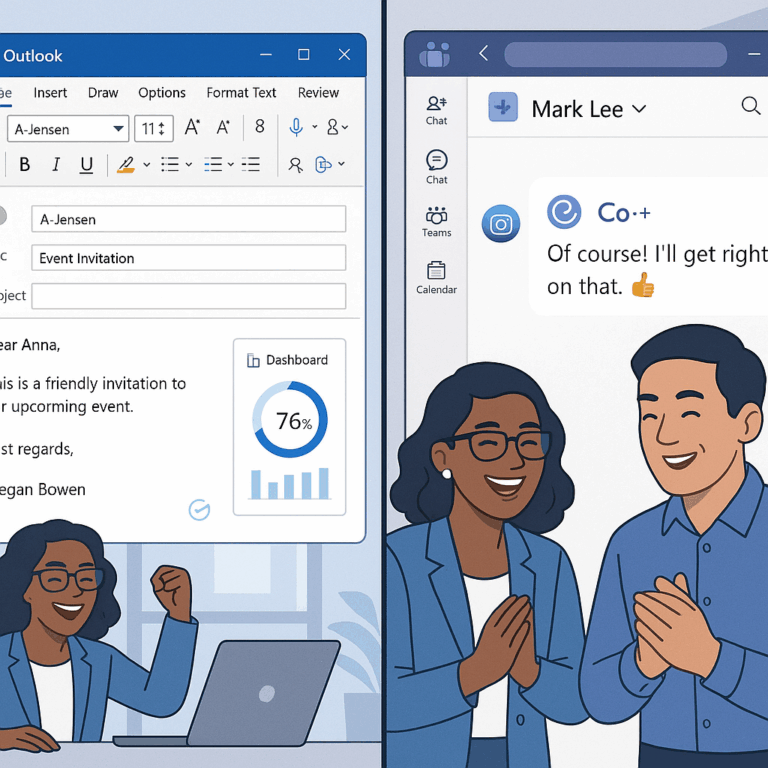
Below are short, persona-focused messages you can paste into Outlook or Teams. Each template includes a Teams variant. Use them as-is or personalize with the bracketed fields.
Pre-launch — Template 1: Executive manager ask (email)
Subject: Quick ask: sponsor a 2-week Copilot pilot for your team
Hi [Manager Name],
We’re piloting Microsoft 365 Copilot with a small group to speed common tasks like proposal drafting and customer research. Can you nominate two reps this week? We provide a 10-minute manager script and a Teams message you can forward. Pilot runs [dates]. I’ll share outcomes at the end of week two.
Teams variant: [Post to Manager channel] — “Nominate two reps for the Copilot 2-week pilot. We’ll handle onboarding and share results.”
Pre-launch — Template 2: End-user teaser (Teams)
Heads up: next week we’re piloting Copilot to help you draft emails and summaries faster. Try a 2-minute demo and keep what helps — no training required. Join the kickoff: [link to micro-lesson].
Launch — Template 3: Welcome email (users)
Subject: Welcome to Copilot — 3 quick wins to try today
Hi [Name],
Welcome — your Copilot license is active. Try these 3 quick wins today: 1) “Summarize this meeting” in Teams, 2) “Draft a discovery email for [account]”, 3) “Create a one-slide summary.” Click this 3-minute micro-lesson to see how: [link]. Reply with 1 win and we’ll celebrate top results next week.
Teams variant: “Your Copilot is ready. Try three quick wins — opens a 3-min demo. Share a win in this thread.”
Launch — Template 4: SDR prompt-a-thon invite (Teams)
Challenge: this week we’re running a prompt-a-thon. Each day, try the daily prompt and drop your result in the thread. Prizes for highest reply rate. Day 1 prompt: “Draft an SDR outreach for [persona] showing one line of social research.”
Sustain — Template 5: Weekly tip (email)
Subject: Copilot Tip of the Week — shorten your proposal time
Try this Copilot prompt to speed proposals: “Generate a 1-page proposal outline for , tailored to [industry].” Watch the 90-second demo: [link].
Teams variant: “Tip of the week: 90-second demo to speed proposals. Try and post a result.”
Sustain — Template 6: Manager nudge (email)
Subject: Quick check: did your team try Copilot this week?
Share one result in your team channel. If you prefer, we’ll run a short demo at your next huddle (5 minutes).
Sustain — Template 7: Security & attestation (email)
Subject: Copilot policy & brief attestation (required)
We’ve published our acceptable-use guidance for Copilot. Please review the 90-second summary and confirm by clicking “I understand” in this micro-lesson. [link to attestation]
Sustain — Template 8: Adoption result share (Teams)
Wins this month: [metric, e.g., “SDRs cut research time by X%”]. Want the short playbook used to get here? Reply and we’ll drop the templates into your channel.
Each template is designed to be delivered from your BrainStorm comms console or pasted directly into Outlook/Teams. Tip: include a one-click micro-lesson link so users can move from message to practice in under 90 seconds.
Best-practice cadence
Pre-launch (2 weeks): manager ask + teaser + admin checklist. Launch (week 0–4): welcome email day 0, Teams tip day 1, prompt-a-thon day 3–7, manager digest day 14. Sustain (month 2+): weekly tips, monthly manager check-ins, quarterly deep-dives and attestations for policy-sensitive groups.
How BrainStorm helps
This is exactly what BrainStorm automates—segment the audience, schedule the messages, deliver the micro-lessons in Teams/Viva, and track adoption by feature. Reach more users with intelligent communication tools Our Microsoft-first content packs give you Copilot scenarios and prebuilt lessons to reduce launch time. Help users take flight with Microsoft 365 Copilot
Outcome: faster depth-of-use and measurable Copilot adoption.
How we do it: role-based campaigns, in-the-flow micro-lessons, and change analytics delivered in Teams and Viva.
CTA: See your M365/Copilot adoption in a live dashboard—book a 20-minute demo.
FAQ
Q: How long before we see measurable change?
A: With a focused pilot and manager sponsorship, expect early behavioral signals in 2–4 weeks and repeatable results in 60–90 days.
Q: What privacy checks should we run before launch?
A: Confirm tenant settings, data connectors, and license scope; publish a short acceptable-use guidance and capture attestation for sensitive teams. Microsoft’s Copilot kit includes an admin readiness checklist. Microsoft Copilot enablement resources
Q: Should we automate all messages?
A: Automate the routine messages but keep manager-facing asks personal — manager sponsorship is highly predictive of adoption.
Sources
Copilot user engagement tools and templates — Microsoft Adoption
Microsoft 365 Copilot — Microsoft Adoption hub
2024 SaaS Management Index — Zylo (license waste benchmark)
BrainStorm | Software Adoption Made Easy
Meta description: Email and Teams templates for Microsoft 365 Copilot launches—8 ready-to-send messages, cadence, and persona tips to boost adoption and protect license spend.
Suggested URL slug: email-teams-templates-copilot-change-communications