
Last reviewed: October 6, 2025
You have 90 days to show the CFO a simple, defensible story: Copilot drove measurable productivity and lowered cost per outcome. This guide lays out a turnkey 12-week plan, an ROI worksheet, and the reporting the board will accept.
TL;DR Deploy a focused Copilot pilot targeted at 1–2 high-value roles, run a 12-week adoption campaign, measure depth-of-use and time saved, and show ROI with a simple savings × adoption × cohort model. Use targeted communications, role-based micro-lessons, and in-tool attestations to move users from curiosity to daily habit. BrainStorm automates the campaign, in-flow lessons, and dashboards so you can show results in 90 days. See your baseline and start the pilot with this ready plan.
Why 90 days — and why now
Executives want a tight timebox. Ninety days forces clarity: choose measurable scenarios, define cohorts, and remove long-tail variables like full enterprise rollout. A short pilot amplifies learnings, limits cost, and gives finance a timeline for payback. Microsoft and commissioned analyst studies show strong ROI potential for Copilot when paired with change programs, but regulators and watchdogs expect claims to be backed by method and transparency. Microsoft published Forrester findings on Copilot ROI, and independent review bodies have recommended careful substantiation of productivity claims. NAD / BBB National Programs reviewed Copilot claims.
Assumes a mid-market or enterprise CRM + Office 365 footprint and leadership support to run a focused pilot.
Our point of view
Training without targeted communications rarely moves metrics. Our POV: pair timed communications with bite-sized, role-based practice inside Teams or Viva, measure depth of use (not just logins), and collect attestations for security and governance. That mix is the fastest path to measurable ROI.
Trade-offs: a broad, unfocused rollout can inflate early usage numbers but buries signal in the noise. Focused cohorts give cleaner ROI math. Investing in reporting up-front shortens the CFO conversation from ‘maybe’ to ‘here’s what happened, here is the net benefit’.
Our recommendation is pragmatic: pick 1–2 scenarios (calendar drafting, meeting summarization, contract review), map expected time savings per user, and target managers first so they model the behavior.
Framework: 12-week plan, metrics, and a simple ROI lens
Follow three parallel tracks: readiness, activation, and measurement. Keep the plan simple and auditable.
- Readiness (weeks 0–2): finalize scenarios, define cohorts (50–200 users), set security guardrails, pre-load role-based micro-lessons in Teams/Viva.
- Activation (weeks 3–8): run segmented communications, push 1–3 micro-lessons per user per week, hold short manager nudges, and surface tips in Teams channels.
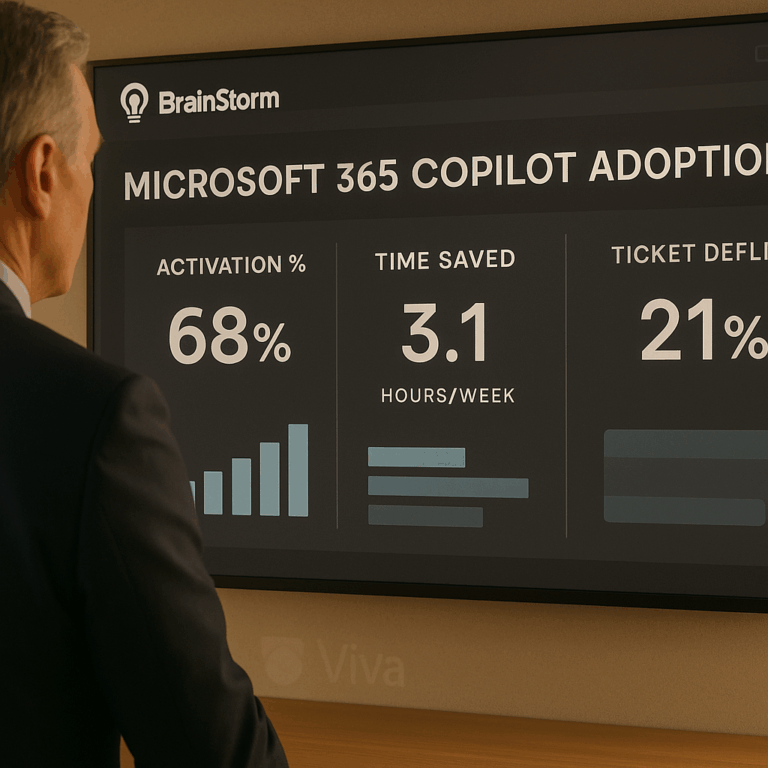
- Measurement (weeks 3–12): track activation %, depth of use (feature-level), time-to-proficiency, ticket volume by topic, and attestations for AI policy.
Diagram description: Personas × Workflows × Guardrails matrix. Rows are personas (e.g., sales rep, legal counsel), columns are workflows (email drafting, contract review, meeting notes), and an overlay column lists policy/attestation steps.
| Week | Key activity | Target metric |
|---|---|---|
| 0–2 | Baseline measurement & readiness | Baseline time-per-task, ticket counts |
| 3–6 | Activation campaign + micro-lessons | Activation % (open → tried feature) |
| 7–12 | Reinforcement + reporting | Depth-of-use %, time saved, tickets reduced |
Metrics to defend the ROI story
- Activation %: percent of cohort that uses Copilot for a target scenario at least twice in a week.
- Depth of use: number of distinct Copilot features used per active user per week (e.g., summarization + draft + action items).
- Time saved per task: measured or estimated minutes saved; validated with quick time-and-motion samples of 10–20 users.
- Ticket deflection: volume and time for common support requests before and after.
Simple ROI formula
Use this one-line model to create an executive slide:
Savings = (Active users) × (Average minutes saved per user per week) × (Weeks) × (Hourly cost)
Net benefit = Savings − Program cost (platform, comms, admin)
Payback period = Program cost / (weekly savings)
Example (illustrative): if 100 users save 30 minutes/week, at $60/hr fully loaded, weekly savings = 100 × 0.5 hr × $60 = $3,000. Over 12 weeks = $36,000. If program and license costs are $15,000, net benefit = $21,000 and payback in 5 weeks.
Practical walkthrough: run this in week-by-week actions
Week 0: Baseline. Run a short survey and capture 2 weeks of time-on-task for target workflows. Tag support tickets by topic for the same period.
Week 1: Readiness. Publish a 10-minute manager briefing, load three role-based micro-lessons into Teams, and set up measurement dashboards. If you use BrainStorm, import the Copilot content pack and deliver via Teams/Viva (Help users take flight with Microsoft 365 Copilot).
Weeks 2–6: Activation. Run segmented comms (managers first), nudge users with one short, scenario-based prompt per day, and ask early adopters to share saves in a channel. Use attestations for AI policy in week 4.
Weeks 7–12: Reinforce and report. Share before/after stories, run a second time-and-motion sample, and present the dashboard to finance with the ROI worksheet. Make the case for roll-out or license rationalization at scale.
Objections and common pitfalls
Objection: “Productivity claims are exaggerated.” Response: use small-sample measured time studies and conservative assumptions. Present ranges (low/medium/high) and document methods. Microsoft’s commissioned Forrester work shows strong multi-year ROI for many customers, but watchdogs stress careful substantiation; disclose methodology and sample sizes. Microsoft / Forrester study and NAD review.
Pitfall: tracking only logins. Fix by instrumenting feature-level events (summaries generated, drafts edited) and linking those events to the learning cohorts. Measure depth-of-use per user, not just counts.
Pitfall: neglecting governance. Pair AI Security micro-lessons and attestations with the pilot so legal and security can sign off. BrainStorm’s AI Security pack can automate attestations and learning delivery. BrainStorm solutions | AI Security.
How BrainStorm helps
This is exactly what BrainStorm automates—segment the audience, schedule the messages, deliver micro-lessons in Teams/Viva, and track adoption by feature in a live dashboard. Outcome: measurable depth-of-use and faster time-to-proficiency. How we do it: prebuilt Copilot content packs, targeted communications, and analytics. CTA: See your M365/Copilot adoption in a live dashboard—book a 20-minute demo.
FAQ
Q: How many users do I need for a valid pilot?
A: 50–200 users give statistical signal while keeping rollout manageable. Smaller cohorts are fine if tightly scoped by role.
Q: What is an auditable time-savings method?
A: Pick 10–20 users per role, time a defined task pre/post, and report median minutes saved. Use conservative estimates to avoid overclaiming.
Q: How do I handle licenses and spend?
A: Start with existing licenses where possible, or short-term Copilot seats. Use the pilot to measure adoption lift and present a license-optimization plan based on depth-of-use.
Meta description: 90-day executive plan to prove Microsoft 365 Copilot ROI: a 12-week playbook, ROI calculator, measurement checklist, and ready-to-run campaigns.
Suggested URL slug: prove-roi-microsoft-365-copilot-90-days
Sources