
Last reviewed: November 10, 2025
Your billing lead exports CDRs to a spreadsheet, edits tax lines by hand, then rekeys totals into QuickBooks. One missed surcharge or a wrong tax jurisdiction turns a clean month into a dispute and a delayed payment.
TL;DR: Stop treating UCaaS billing like bookkeeping. Treat it as an integration problem: ingest CDRs, apply telecom-grade rating and taxes, assemble one clean invoice, and post validated lines to your PSA and accounting. Run a one-account sandbox cycle this week to prove the delta.
Why this matters now
UCaaS bundles voice, meetings, messaging, and mobile into single customer agreements. That means more line items, more rating edge cases, and more tax sourcing decisions every month. Many MSPs glue these problems together with spreadsheets and human checks — until a single misapplied tax line triggers a dispute and a day of ops time.
That failure mode is avoidable. Map your PSA service IDs to invoice SKUs, let a billing hub do rating and tax sourcing, then post invoice lines to your GL. If you want the setup reference, see the integration flow — PSA to accounting handoff and the QuickBooks posting guide for field-level examples.
TAKEAWAY: Spreadsheets scale linearly — errors and DSO scale exponentially.
Our point of view: billing is an ecosystem integration, not a spreadsheet
Our POV is simple: the PSA and your accounting system remain the systems of record. The right billing hub fits that ecosystem and automates rating, telecom taxes, invoice assembly, and GL posting. That removes manual rekeying and reduces disputes at the source.
Three trade-offs to be explicit about. First, a billing hub adds configuration upfront: map service IDs, GL accounts, and tax sourcing rules. Second, you need to validate tax engine choices per jurisdiction (Avalara for Communications, CCH SureTax, or CSI are common choices). Third, if you only have a handful of seats and no plans to grow voice revenue, a full hub may not pay back immediately — pilot first, expand later.
Our recommended approach: pilot one customer end-to-end. Validate rating edge cases, confirm tax lines against a tax engine, and post test invoices to your accounting sandbox. Once roundtrip validation succeeds, scale by cohort.
TAKEAWAY: An ecosystem-first billing hub fixes tax, rating, and cash in one integrated flow.
Practical framework: the 5-step runbook for ditching spreadsheets
Follow this practical lens: Context, Decision, Configuration, Proof, Next Step. The runbook below is what billing, finance, and systems teams actually run.
- 1) Context — Inventory the operational inputs: sample CDRs, PSA service IDs, customer billing rules, and your chart of accounts.
- 2) Decision — Choose the tax engine per region and decide approval gates (post-to-clearing vs direct GL posting).
- 3) Configuration — Map PSA service ID → Invoice SKU → GL account → Tax jurisdiction; set rating rules and bundle definitions; configure payment gateway and portal branding.
- 4) Proof — Run rating test cases (toll-free, forwarding, bundle overflow, international). Compare hub output vs your spreadsheet totals and tax engine output.
- 5) Next Step — Enable sandbox posting to accounting for one customer, run the first real billing cycle, measure disputes and DSO.
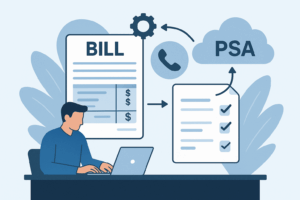
Diagram description (one take-away visual you can use in a ticket): CDRs → Billing Hub (rating + tax) → Invoice assembly → Post lines to PSA/accounting → Customer portal & payments. Keep one service ID mapping table beside that diagram during tests.
TAKEAWAY: Break the problem into five repeatable steps and validate with one sandbox cycle.
Applications MSP teams care about
Finance leads want cleaner GLs and fewer reconciliation journal entries. Ops wants fewer exceptions during month-end. Systems engineers need reliable API/SFTP ingestion and reproducible field maps. Here are concrete actions by role.
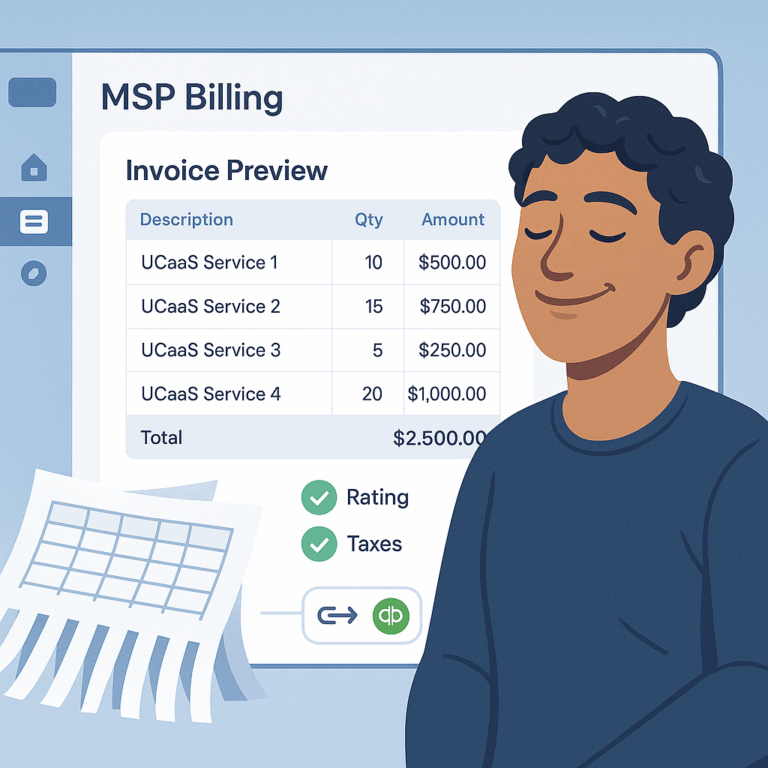
Billing manager: map 10 high-volume PSA service IDs to invoice SKUs and confirm invoice previews match expected quantities. Acceptance: line counts and totals match the PSA quantities for those SKUs.
Finance/CFO: enable sandbox posting to a clearing GL account first. Reconcile one test invoice against bank/merchant settlement. Acceptance: tax lines and GL accounts match the chart of accounts and tax engine output.
Systems engineer: run CDR edge-case tests — transfer/forwarding, toll-free, and bundled overflow — and verify rating rules. Acceptance: hub classifies calls correctly and passes the correct tax sourcing attributes to the tax engine.
Brand bridge box: Outcome — one clean invoice and faster cash. How we do it — integrates PSA, tax engine, accounting, and payment gateways while doing telecom-grade rating. CTA — See the integration flow.
TAKEAWAY: Small, role-specific pilots prove value fast and remove the biggest causes of disputes.
Proof & examples you can take to your CFO
Mini-case (anonymized pattern): A mid-market MSP added Teams Phone and mobile to 75 seats. They used spreadsheets; month-end reconciliation took 8 hours and disputes were common. After onboarding a billing hub, they ran a single sandbox cycle, posted test invoices to QuickBooks, and enabled their white-label portal with auto-pay.
Outcome pattern you can expect after one validated cycle: reconciliation hours drop substantially, dispute volume declines, and DSO improves because customers can pay via portal and auto-pay. If you need the QuickBooks posting steps, use the QuickBooks posting guide as your field-mapping template.
Counterpoint: if you have fewer than 10 voice seats and no near-term expansion, run a staged automation: start with tax sourcing and one-off rating rules before full invoice automation.
TAKEAWAY: One sandbox billing cycle provides the data to stop spreadsheets.
Implementation checklist: a week-long pilot
Day 1 — Permissions & inputs: secure PSA admin, finance lead, carrier access, sample CDRs, and the chart of accounts.
Day 2 — Field mapping (1–2 hours): map your top 10 service IDs to invoice SKUs and GL accounts. Test invoice preview acceptance criteria: line counts and descriptions match.
Day 3 — Rating & tax tests (2–4 hours): upload CDRs, run toll-free, forwarding, bundled minutes tests. Validate tax lines versus your chosen tax engine (for US taxes, see your regional tax checklist and integrate Avalara for Communications if applicable at Avalara for Communications).
Day 4 — Invoice assembly & posting (1–2 hours): post a test invoice to QuickBooks/Xero sandbox and verify GL posting.
Day 5 — Portal & payments (1–2 hours): enable portal for one customer, test auto-pay, and verify settlement and reconciliation back to GL.
Success metrics to track during the pilot: % of invoices auto-posted; % of invoices with zero dispute; time spent on month-end; payment success rate; and DSO.
TAKEAWAY: Start small, prove one cycle, then scale with the same runbook.
Common objections and practical answers
Objection: “Our CFO won’t allow automatic postings.” Answer: start by posting to a clearing GL and expose approval gates. After two validated cycles, move to automated posting for low-risk flows.
Objection: “State and international taxes are complex.” Answer: treat tax sourcing as configuration. Integrate the correct communications tax engine and document the sourcing rules per region. Use a state-by-state checklist during onboarding.
Objection: “We don’t have time for a long migration.” Answer: migrate by cohort — one customer or one service line at a time. The week-long pilot above is designed to produce visible ROI in one billing cycle.
Brand bridge box: Outcome — reduced disputes and faster cash. How we do it — automated rating, tax engine integration, one-invoice assembly, and payments reconciliation. CTA — Start the PSA, tax, and accounting checklist.
TAKEAWAY: Every objection is a configuration choice, not a roadblock.
FAQ
Q: Can I automate telecom taxes without changing my PSA?
A: Yes. Integrate a tax engine and map validated invoice lines from the billing hub to your PSA and accounting. Use the regional tax checklist during setup.
Q: How long until we see DSO improvement?
A: Measurable improvement often appears within the first billing cycle after enabling consolidated invoices and auto-pay. Pilot one customer to prove the effect.
Q: What’s the smallest pilot that proves value?
A: One customer with mixed services (UCaaS + mobile). Map 5 service IDs, run rating/tax tests, and post one test invoice to accounting.
Sources
Datagate integrations hub | QuickBooks Online integration | US telecom tax checklist | Avalara for Communications
Meta description: How MSPs replace spreadsheets with an integrated billing hub: rating, telecom taxes, one invoice, and faster cash. Includes a week-long pilot checklist.
Suggested URL slug: ucaas-billing-without-spreadsheets-guide-msps
JSON-LD (Article + FAQ): {“@context”:”https://schema.org”,”@type”:”Article”,”headline”:”UCaaS billing without spreadsheets, a practical guide for MSPs”,”datePublished”:”2025-11-10″,”dateModified”:”2025-11-10″,”author”:{“@type”:”Organization”,”name”:”Datagate”},”publisher”:{“@type”:”Organization”,”name”:”Datagate”},”description”:”A practical guide for MSPs to replace spreadsheets with an integrated UCaaS billing hub: rating, taxes, one invoice, and faster cash.”}
{“@context”:”https://schema.org”,”@type”:”FAQPage”,”mainEntity”:[{“@type”:”Question”,”name”:”Can I automate telecom taxes without changing my PSA?”,”acceptedAnswer”:{“@type”:”Answer”,”text”:”Yes. Integrate a tax engine and map validated invoice lines from the billing hub to your PSA and accounting.”}},{“@type”:”Question”,”name”:”How long until we see DSO improvement?”,”acceptedAnswer”:{“@type”:”Answer”,”text”:”Measurable improvement often appears within the first billing cycle after enabling consolidated invoices and auto-pay.”}},{“@type”:”Question”,”name”:”What’s the smallest pilot that proves value?”,”acceptedAnswer”:{“@type”:”Answer”,”text”:”One customer with mixed services (UCaaS + mobile). Map 5 service IDs, run rating/tax tests, and post one test invoice to accounting.”}]}